Subscribe To Our Regular Email Updates
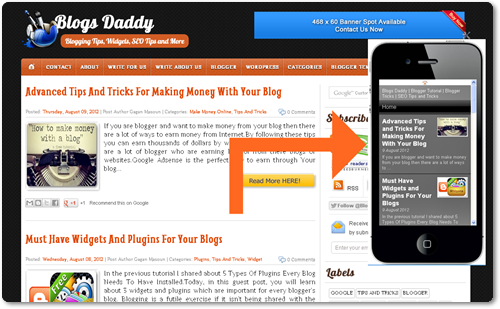
Why Mobstac?
How to Use Mobstac On Your Blogger Blog
JavaScript Plugin Installation Instructions
- Professional, Customizable Themes Available For Your Blog
- More Than 1.2 Billion People Worldwide Use The Mobile Web
- Go Mobile On Your Own Domain (m.example.com)
- Exclusive! Pro Plan Worth $190/yr FREE For 1 Year
- One Click Integration With Google AdSense Account
- Unlimited Email Support
- Go to Mobstac.com and Type In Your Blog URL
- Analyzing your desktop site process will start after click on take a preview
- Select Device and Click On Continue Button
- In Preview section Add social widgets and Choose a theme & click continue button again
- Setup Account -> Name, Email, Password and Mobile URL
- Copy and paste JavaScript code in the head tag of your blogger blog.
- Go to Blogger Dashboard -> Select The Blog You Want to Make Mobile/Tablet Friendly.
- Select Template From The Left Navigation
- Click On Edit HTML and Then Proceed
- Insert The Above JavaScript Code Snippet Under The <head>
- For e.g. <head> JavaScript Code </head>
- Click Save Template
- Hit Close & Your Mobile and Tablet Site is Ready
|
|
|
|
Subscribe via Email
|
$190/yr FREE for 1 yearRead Also – Advanced Tips And Tricks For Making Money With Your BlogIntroduction to the MobStac Mobile Cloud Publishing platform