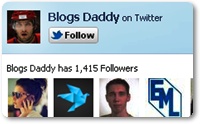
Twitter Follow Box Demo
- Now Go to Blogger Dashboard > Layout
- Then Select Add a Gadget > HTML/JavaScript.
- Copy and Paste Above Code Into That Gadget and Replace BlogsDaddy With Your Twitter Username and Click On Save.
- It’s Done, Visit Your Blog & Enjoy Blogging
<script type=”text/javascript”
src=”http://s.moopz.com/fanbox_init.js”></script><div
id=”twitterfanbox”></div><script
type=”text/javascript”>fanbox_init(“BlogsDaddy“);</script>
| Twitter Follow Box |

buttonFacebook Like BoxLive DemoThere are many tutorial available about how to add . But Today in this useful post I will simplify the tutorial “How to Add Twitter Follow Box In Blogger or WordPress Blog?”. In Facebook like box you see “Like” button but in Twitter follow box you will see “Follow” .