How to Create a YouTube Channel Background Image
- First Of All Log In Your Youtube Account
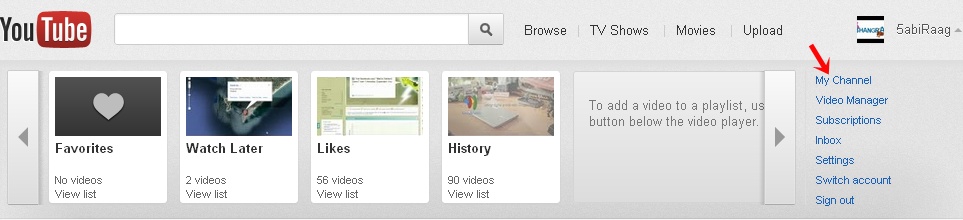
- Go To “My Channel” Option
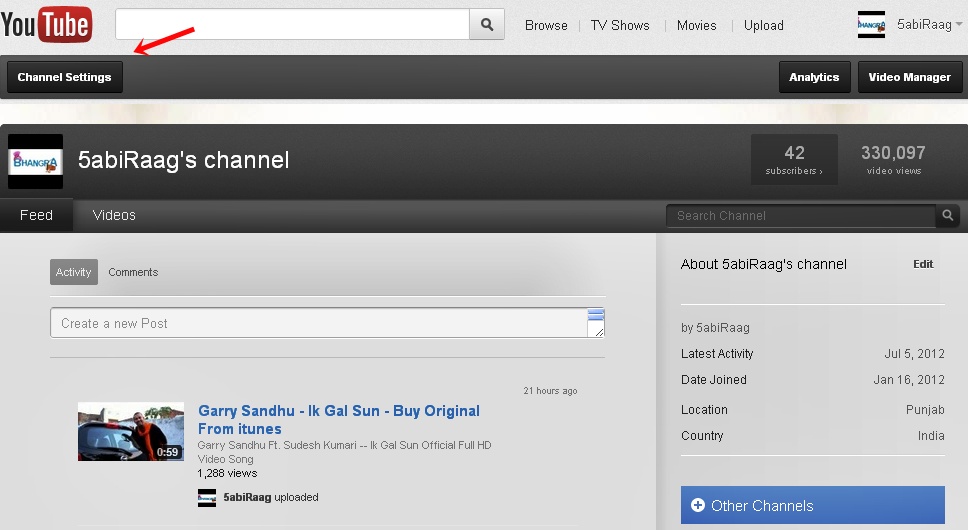
- Click On Channel Settings
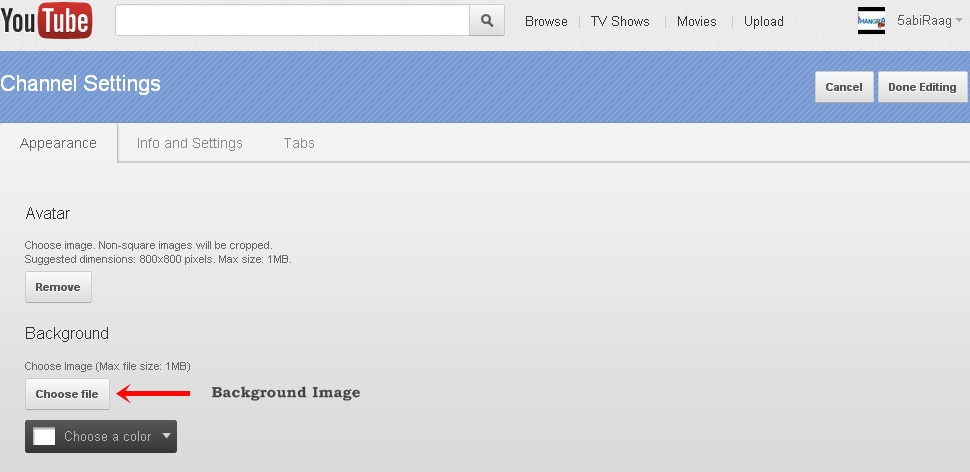
- You Are On Channel Settings Page Now
- In The Appearance Section You Can Change Background Image (Max File Size: 1MB) Easily.
- Choose Options For Your Background Image
- Now Click On “Done Editing” Button On The Right Corner
- Its Done, Enjoy Video Uploading 🙂