How To Start a Free Blog On WordPress.com?
- Go To WordPress.Com & Click On “Get Started Here”.
- On the Next Page A Registration Form Will Be Shown , Where You Have To Choose The Address Of Your Blog. Fill The Form Completely and Click On Create Blog
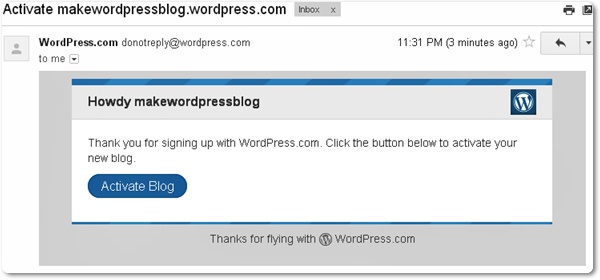
- After Clicking Create Blog, You Will Get An E-mail In Your Mailbox With Activation Link. Login To Your E-mail and Open The Mail Sent To You From WordPress.com, and Now Click Activate Blog To Activate Your WordPress Account.
- Go To Next Page and Enter Your First and Last Name and Type Something About Yourself and Click Save Profile.
- Congratulations, Its Done ! Your Brand New Blog at WordPress Is Now Active and Now You Can Start Blogging With WordPress.com’s Free Online and Amazing Services!
|
Did you Like this article?
|
Get FREE Updates
Get Freebies, updates and Special offers straight into your inbox. |
|
|
Tweet |
“How to Start a Free Blog On WordPress.com?”.WordPress.comAugust 8, 2005November 21, 2005.Advertisement.“VIP” membership