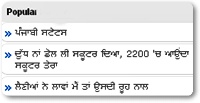
Adding Popular Posts Widget To Blogger
Customize The Default Look Of The Widget:
- To change the bullet image replace the image URL in bolded black in the code above with your bullet URL.
- To change the border color in active mode edit #dddddd
- To change the border color on mouse hover edit #389CFF
- Go To Blogger Dashboard > Click On Design
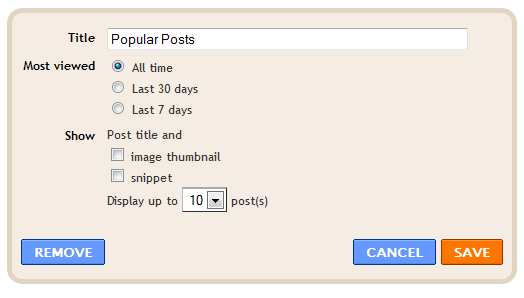
- Click on Add a Gadget and Select The “Popular Posts” Gadget
- Now Make These Changes : Most Viewed – All Time, Show – Un-check image thumbnail and snippet
]]></b:skin>
/*— BD Popular Posts — */
.popular-posts ul{padding-left:0px;}
.popular-posts ul li {background: #FFF url(http://4.bp.blogspot.com/-9BPpVGRT6pA/T8po_f_yYKI/AAAAAAAANJo/N0U32K-c4CE/s1600/PPW.gif ) no-repeat scroll 5px 10px;
list-style-type: none;
margin:0 0 5px 0px;
padding:5px 5px 5px 20px !important;
border: 1px solid #dddddd;
border-radius:10px;
-moz-border-radius:10px;
-webkit-border-radius:10px;
}
.popular-posts ul li:hover {
border:1px solid #389CFF;
}
.popular-posts ul li a:hover {
text-decoration:none;
}
(Copy Given Code)Customize Blogger’s Official Follow By Email Widget