
How To Place Adsense Below Post Title In Blogger
How To Create A Google+ Page – Blogs Daddy
How To Activate Or Revert To The Old Look ( Temporarily ) Of Gmail
Popular Today
Follow Us
About The Author
Blogs Daddy Updates
Popular Posts
Recent Comments
STAY CONNECTED
Subscribe FREE updates on your Email | RSS
-
Home
-
Contact
-
About
-
Write For Us
-
Make Money
-
Adsense
-
SEO
-
Blogger
-
WordPress
-
Template
-
Social Media
-
Tools
-
How To Delete Facebook Timeline?
-
How To Remove Powered By Blogger Attribution Widget
-
Facebook Smileys and Latest Like Symbols
-
Webmaster Email ID List For Link Exchange
-
List Of Instant Approval Do Follow Article Sites
-
New Facebook Profile Coming Soon
-
4th Kabaddi World Cup 2013 Results
-
How To Place Adsense Below Post Title In Blogger
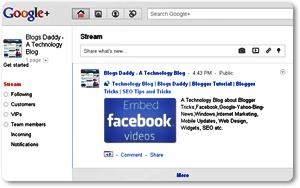
Creating a page brings you closer to your customers, fans, and followers on Google+.”

Read more
Adsense
Blogger
Google Plus
Tips and Tricks
No comments
Read more
Google Plus
Tips and Tricks
Gmail
No comments

Read more
Gmail
Newer Posts
Older Posts
Home
Like us on Facebook Circle us on Google+Follow @BlogsDaddy
Navigation
in
,
– on
Sunday, November 27, 2011
–
| Categories:
,
in
,
– on
Tuesday, November 08, 2011
–
| Categories:
,
in
– on
Tuesday, November 01, 2011
–
| Categories:
This article explains how to place Adsense below post title in Blogger. The tutorial will not be complicated if you understand it properly. Do keep a backup of your template before any changes! Why below post title? Because it is the position with the highest CTR (click-through rate). In other words the ad placed there will bring the more money.