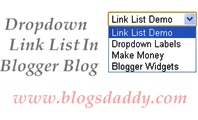
Remember Notes:
Additional Features
- Go to Dashboard > Layout > Add Gadget > HTML/JavaScript
- Copy Given Below Code & Paste In HTML/JavaScript Widget
- Save It & Its Done
- Replace Red Color Title With Your Own Title
- Replace Yellow Color Text With Your Links
- Replace Pink Color Text With Your Link Titles
- You Can Add The Number Of Option Value In Code, If You Want to Add More Links.
- You Will Get More Space On Blog’s Sidebar After Adding This Feature
<form><select name=”menu” onchange=”window.open(this.options[this.selectedIndex].value,’_blank’)”
size=1 name=menu>
<option>Link List Title</option>
<!– change the links with your own –>
<option value=”Link 1“>Link Title 1</option>
<option value=”Link 2“>Link Title 2</option>
<option value=”Link 3“>Link Title 3</option>
<option value=”http://www.blogsdaddy.com” rel=’nofollow’>Blogger Widgets</option>
</select></form>
“Sarah Bayly”Author – BloggerCreate A Dropdown Labels Widget In Blogger Blog for advice.