Advantage Of Dynamic Views On Mobile
How to Use Blogger Dynamic View on Mobile
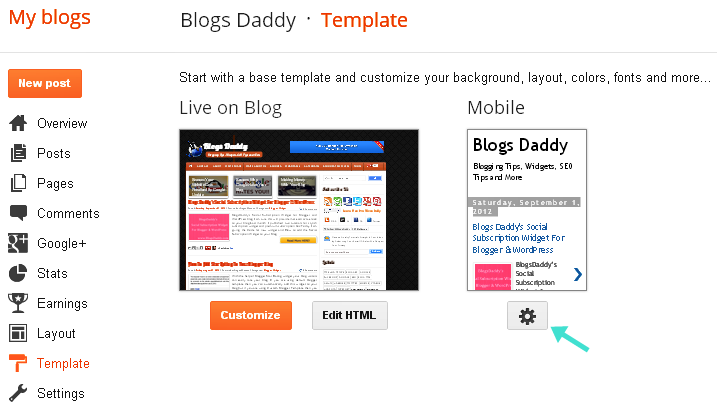
- Go to Blogger Dashboard > Template
- Click On The Gear Icon Under Mobile Preview
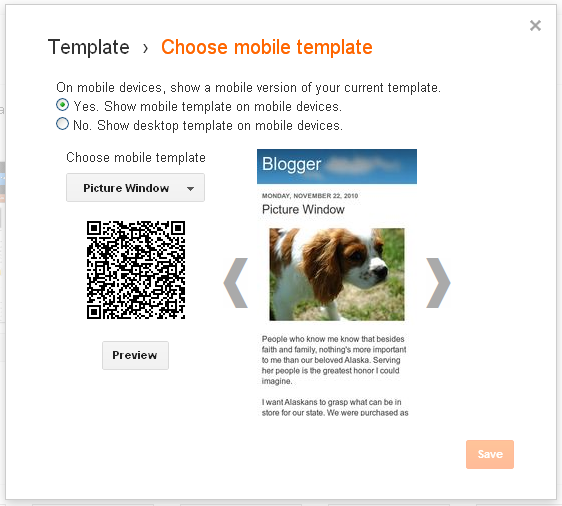
- Choose a mobile template style & you can see the demo by clicking on preview button.
1.2 billionRead Also: Make Free 10 Calls Daily For Unlimited Time With Crowd Call51% 201310% 130,000,000See Also: How To Add AddThis Welcome Bar To Blogger BlogRemember Notes:Author – bloggingmobilesmart phonesblog’s mobile version