How to Create a Grab Button/Badge For Your Blog
Follow Next Steps Setup Code 1 and Setup Code 2
How To Add It On Your Blog?
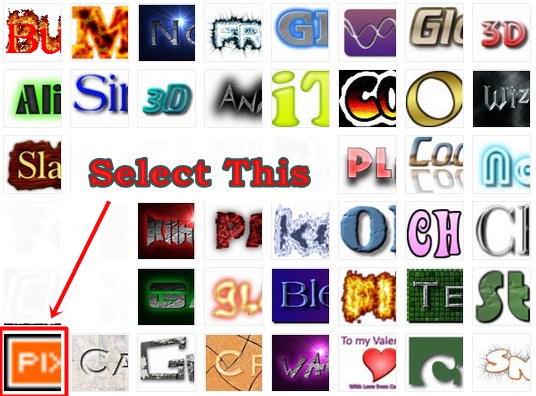
- Go to CoolText, GRSites and AdamKalsey. But I Prefer You All CoolText Is Best. Now Choose A Logo Style As Shown In Picture Below
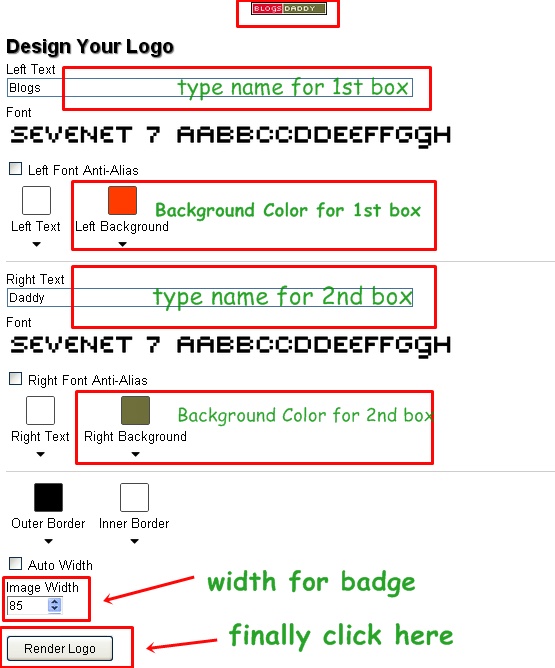
- After Customize All Options Click On RENDER LOGO Button At Bottom Left and Download The Image.
- Upload It and Get URL Of The Downloaded Image
- Setup Code 1
- Replace Blog URL With Your Blog URL
- Replace IMAGE URL With Your Uploaded Badge URL
- Replace Blogging Tricks N Tips With Title Which You Want On Mouse Hovering
- Copy Above Code After Customizing and Paste It In Notepad
- Encode Copied Code Using HTML Code Encoder
- Setup Code 2
- Replace Paste Encoded Code With Encoded Code
- Now Go to Blogger Dashboard > Layout
- Then Select Add a Gadget > HTML/JavaScript.
- Copy and Paste Setup Code 1 Just Below That Paste Setup Code 2 and Give Title (Grab Our Button)
- Now Save Your Changes and Visit Your Blog, Its Done
<center><div dir=”ltr” style=”text-align: center;” trbidi=”on”> <a href=”Blog URL“><img alt=”” src=”IMAGE URL” title=”Blogging Tricks N Tips” /></a></div></center>
<center> <input type=”text” onclick=”this.focusundefined);this.selectundefined)” readonly value=”Paste Encoded Code” /> </center>
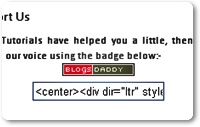
Are you searching for adding a link with us badge in your blog or website? Then you’re lucky that you came to right place. Today in this useful post I will simplify the tutorial “How to Create A Grab Our Button/Badge Widget And Add It To Blogger/Blogspot Blogs?”. Let’s Start.demo on our blog