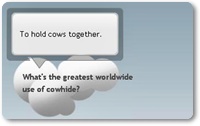
Live jQuery Tooltip Demo Below
1. Adding Tooltip Scripts
2. Adding Tooltip Styles
3. Using The Tooltip
- Go to Blogger Dashboard > Template
- Take Back Of Your Template Before Make Any Change
- Click On Edit HTML
- Click On Proceed Button
- Find Below Code In Your Template
- Add Below Code Just Above/Before It
- Find Below Code In Your Template
- Add Below Code Just Above It
- Replace Add Tooltip Message Here with the message which you want to appear in tooltip.
- Replace Add Your Text Here with the text on which you want to appear tooltip.
</head>
<script type=”text/javascript” src=”http://ajax.googleapis.com/ajax/libs/jquery/1.7.1/jquery.min.js”></script>
<script type=”text/javascript” src=”http://code.helperblogger.com/jquery-tooltip.js”></script>
]]></b:skin>
.tip {
width: 212px;
padding-top: 37px;
overflow: hidden;
display: none;
position: absolute;
z-index: 500;
background: transparent url(https://lh6.googleusercontent.com/-0KM2ludeMBo/UALZZEBrqBI/AAAAAAAACmc/s-SnyEbuwR8/s1600/hb_tipTop.png) no-repeat top;
}
.tipMid {
background: transparent url(https://lh4.googleusercontent.com/-Vu0rxFVABjQ/UALZYWnIryI/AAAAAAAACmY/M6hXn5zozh4/s1600/hb_tipMid.png) repeat-y;
padding: 0 25px 20px 25px;
}
.tipBtm {
background: transparent url(https://lh3.googleusercontent.com/-fcuks1eGyhM/UALZXjVS6CI/AAAAAAAACmQ/GZF8z7d7S4c/s1600/hb_tipBtm.png) no-repeat bottom;
height: 32px;
}
<div class=”tTip” title=”Add Tooltip Message Here“>Add Your Text Here</div>
Build a Better Tooltip with jQuery AwesomenessHow To Add jQuery Tooltip To Blogger BlogLive Demo – A tooltip is a box that appears when you hover your cursor over the text like a hyperlink. It provides supplementary information about that text with useful description. This simple tutorial will guide you “How To Add jQuery Tooltip To Blogger Blog”.I am re-sharing this from Help Blogger Blog. To see a tooltip in action, visit the link given below. Let’s start working on this tutorial.NoteIf you want to add tooltip in blogger posts,then go to Edit HTML tab and add below code inside it.