Who Should Use Tynt?
Video: Tynt Publisher Tools
How to Install Tynt On Blogs?
Blogger Users
WordPress Users
Track Reader Engagement
- Go and Sign Up For Tynt Account
- Submit Your Email and In The Domain Field Submit Your Blog Address With adding http:// and the back slash (/) at the end of URL. Your link should look as follows:
- Go to Template > Edit HTML > Proceed and then search the tag.
- Find the head tag by going to Appearance > Editor > header.php
- SEO:
- Keywords: This is where you will see which keywords are copied the most
- Content
- Social
example.blogspot.com
OR
www.example.com
</head>
|
Did you Like this article?
|
Get FREE Updates
Get Freebies, updates and Special offers straight into your inbox. |
|
|
Tweet |
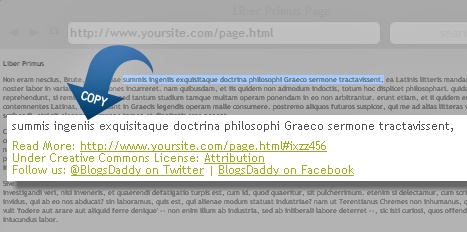
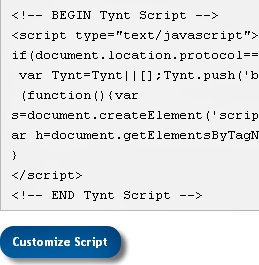
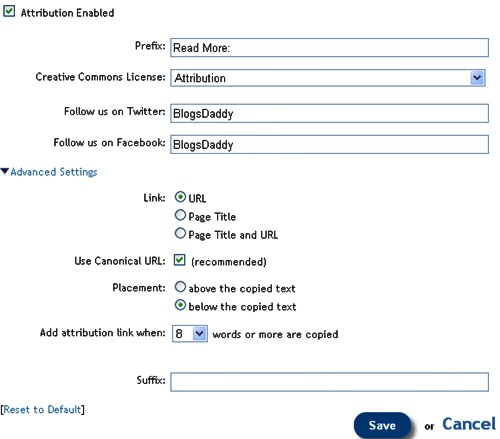
TyntLive DemoMany popular websites and bloggers are using many software scripts to track their copied content.Because , many fake bloggers or readers can copy the content from blogs and websites for sharing on their blogs, emails on social media sites etc.Do you know you can track how many times someone copied and pasted your content. There is a Free online tool available called that helps publishers (Blogger and ) to add JavaScript to their blogs and get results.A along with creative commons attribution license, Facebook and twitter follow us links are automatically added at the bottom of the text copied from your blog. The script will work only if you copy a minimum of 8 text from blog. 3. Accept The Privacy Agreement and Click On Submit Button4. Now You Will See Code. Do Not Copy It and First Click The Customize Script Button Just Below That Code5. Then Click The Customize Attribution Button On Next Page6. You can edit Prefix, Creative Common Licence, Facebook and Twitter Profile Links and Other Advanced Settings.You can also decide whether to display the article URL or Page Title or both. Set URL tocanonical. Set placement to “below the copied text” for better chances of being ignored by the copier.See the screenshot below for settings:
7. Click On Save Button8. Copy The Code and Go to Your Blog (blogger or WordPress). Inside Your Template Search For The Closing Head TagVisit your blog and copy a snippet of any text you like and then paste it anywhere (except notepad) to see the attribution links working just fine.By going to your Homepage at tynt account, you will see 4 options to track the text being copied.