Moving To The New Blogger Interface ~ Technology Blog | Blogs Daddy
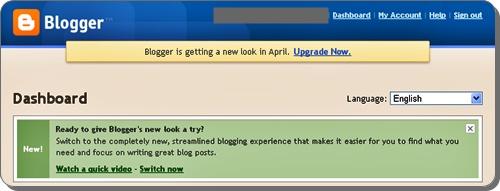
Blogger is ready for moving to new interface. When you will log in to your blogger account you will see the 2 messages first is ” Blogger is getting a new look in april – update now” & second new message is “Ready to give blogger’s new look a try”. This is on green color background. You can watch the quick video or switch now to the new interface.
Last September month blogger team introduced a new blogger’s interface, They’ve implemented a number of updates and improvements based on your feedback.
It is the bad news for old blogger interface lovers because In the coming weeks, Blogger team will change the default interface for those of you still using the old interface, and bring the advantages of Blogger’s improved interface to everyone. If you are already on the new interface, there will be no change.
As per the announcement by Blogger’s team If you have been using the old blogger interface, give the new look a try today by clicking “Upgrade Now” at the top of the page. You can still temporarily switch back to the old interface by clicking the “Old Blogger interface” link located in settings, but not for much longer.
According to me you should Upgrade the Blogger’s new interface. Because all blogger accounts will change to new blogger interface automatically very soon.After switching to the new interface, you’ll find a number of new features that they’ve released recently, including:
Integration with Google+
Dynamic Views
Search engine preferences
I am sharing some videos and snapshots of new interface, I am sure this will help you a lot for learning about blogger’s new interface.
Welcome To Blogger’s New Look
How To Publish A Blog Post In New Blogger Interface
How To Create and Edit Pages In New Blogger Interface
Manage Comments On Your Blog In New Blogger Interface
Import and Export Your Blog In New Blogger Interface
Here are some screen shots from new blogger interface – Dashboard
Overview
New Post
New Page
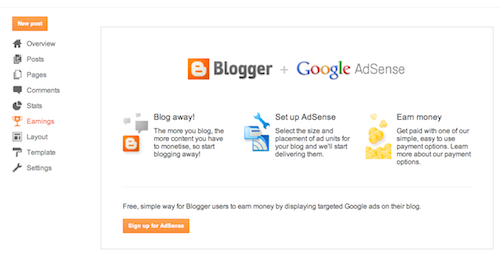
Earnings
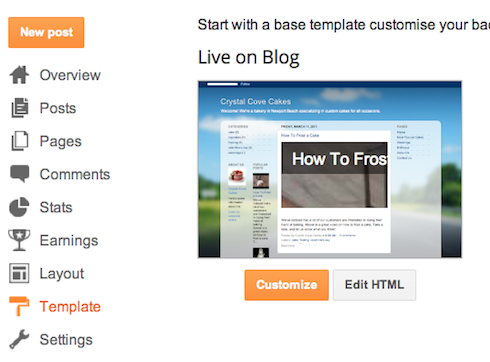
Customizing Your Template
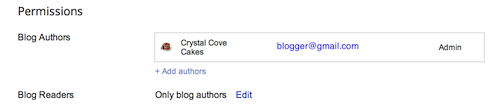
Permissions and Privacy
If you have suggestions or feedback, sign in to Blogger and click “Send Feedback” at the bottom right of the screen.