<data:commentPostedByMsg/> Fourth Step :- After/Below the above code paste the following code <span class=’comment-reply’> Note :- You can use image as a reply button, For this just change the green color line [Reply] with following code <img src=’http://4.bp.blogspot.com/-tWkhGMskNv4/TxK_dkVSJCI/AAAAAAAAFx4/1nuNvk3hjwA/s1600/reply-button-style-1.jpg‘ style=’float:right;’ title=’Reply To This Comment’/>
|
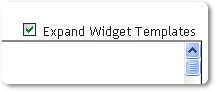
Note :-First Step :-BLOG IDBlogger Dashboard > Design/Layout “blogID= “2641225025933653844Second Step :-Edit HTML“Expand Widget Templates”Sixth Step :-Now See The Address Bar. You Will Get Link Like ThisThese are the Steps to Add a Reply Button to Blogger Comments :Third Step :- Tutorials