
Hello Everyone,
We all know that Facebook is very popular social networking website. You all have Facebook account. Some times you do not want any people see your friend list in it.If you want to hide your friends on Facebook, this guide will tell you how to do it.
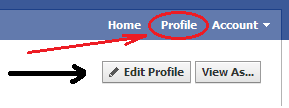
First of all log in to your Fb account.Once you have logged in to Facebook account, on the top right hand corner of the page, click on your profile name option and then on the “Edit Profile” button that will appear right below.
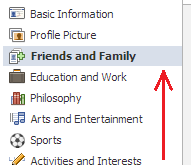
After this, click on “Friends and Family.”You will find this option on the left sidebar.
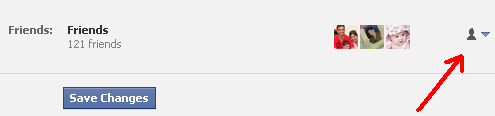
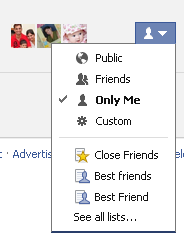
After the above step now, at the right extreme of the Friends section, located near the bottom center of the screen, click on the audience icon, the one indicated in the next image, and in the appearing menu select the option “Only Me.”
|
|
Note : You will find a confirmation link in your inbox or junk folderIf You Enjoyed This Post Please Take 5 Seconds To Share It.