
I know everyone use a social buttons widget on their blog. What if we add a little more interactivity & unique style to those icons. This is exactly what we’re gonna do in this tutorial! We plan to turn an unordered list of sharing icons into a fancy share box using little CSS & Jquery.

You can see my blog’s sidebar for demo.Before I proceed with the tutorial, I would like to inform you that this particular widget is browser compatible – works on all major browsers. The code was tested on the following major browsers – Firefox 3+, IE 6+, Safari, & Chrome). Let’s get this installed on your blog.
This widget is powered by sharethis website.First of all you should have account on sharethis website.If you do not have sharethis account, make account first.After this sign in to sharethis account.Go to Get the Button option.
Follow these steps now:-
1. In first step you will see many options like Website, WordPress, Drupal, Joomla, Blogger, Typepad, Tumblr, Posterous, Newsletter. Choose Website option in first step.

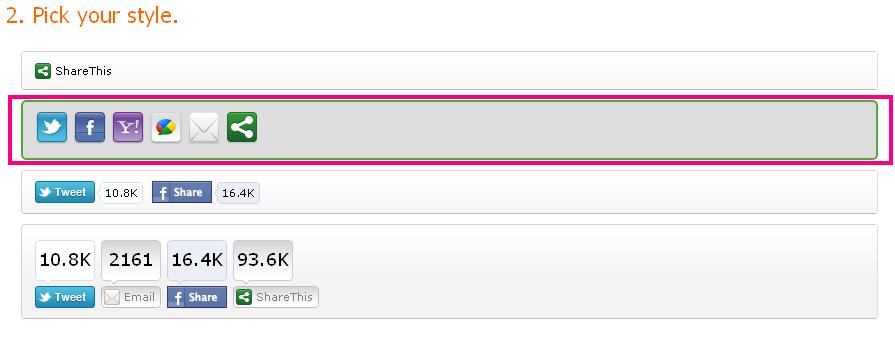
2. In second step.you will see widget styles. There are four styles available in sharethis.Choose second style from the options.You can add more buttons in this widget after chosen the style.Like Facebook, Twitter, Google bookmarking, Digg, Delicious, Friendfeed, LinkEdin, Myspace, Google Buzz, Technorati, StumbleUpon, Orkut, Yahoo bookmarking etc.
3.In third step,you can choose a share widget style.here is two options Oauth Widget & Classic Widget. You can choose anyone.
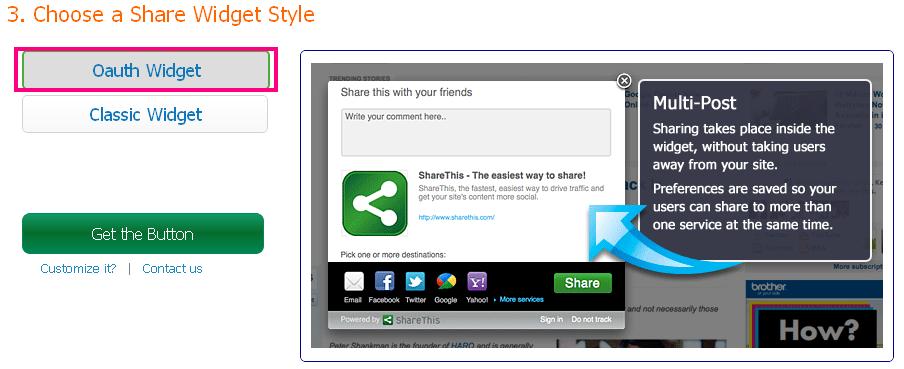
4.Now, click on Get the Button (Green Color Button).Add first code in blogger sidebar HTML Gadget.
Note:- Add your ShareThis script tag first, without it the buttons don’t work. You can put it anywhere on your blog. I recommend putting it in your header (between your <head> and </head> tags).
If you still face any problem regarding this widget, I am always ready to help you via mails. Even comments below the post will do!!
|
|
Note : You will find a confirmation link in your inbox or junk folderIf You Enjoyed This Post Please Take 5 Seconds To Share It.