Subscribe To Our Regular Email Updates
How to Create Your Google Plus ID Card
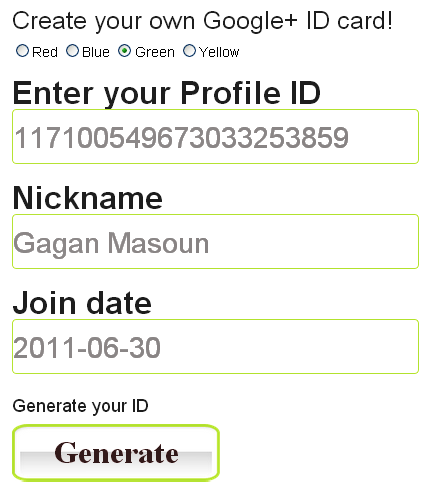
- Go to http://hangoutgraphics.com/idcard
- Enter Your Google+ ID (e.g. 117100549673033253859)
- Enter Your Nickname
- Enter The Date You First Joined Google+
- Hit Generate and It Will Download Your ID Card.
|
Subscribe via Email
|
You May Like to Read:Disclaimer: Author – Google+ profileGoogle+