How to Upload/Install Plugins From WordPress Dashboard
- Log in to Your WordPress Admin Panel Dashboard
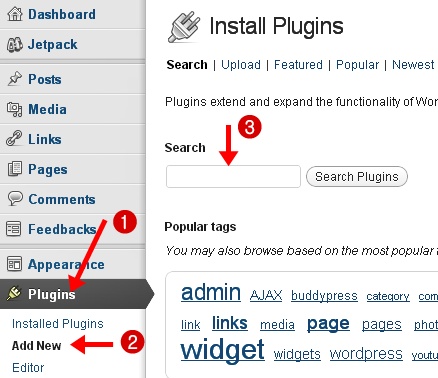
- Now Click On Plugins Tab On Left Sidebar
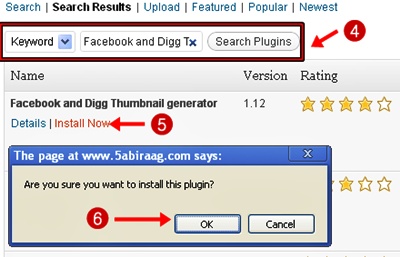
- Add New & Search The Plugin You Want to Install On Your Blog
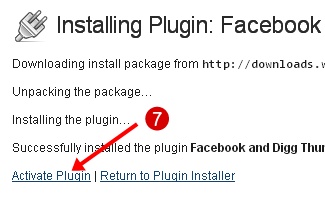
- Click “Install Now” Link -> Click On “Activate Plugin” Link
- Plugin is successfully installed on your WordPress blog
|
Did you Like this article?
|
Get FREE Updates
Get Freebies, updates and Special offers straight into your inbox. |
|
|
Tweet |
WordPress PluginsHow To Setup A WordPress Blog In 5 MinutesMake money online