Subscribe To Our Regular Email Updates
Why Use DMCA .Com Website Protection?
How I Can Register On DMCA.Com and Get Badge For Blog?
How to Add DMCA Protected Badge To Blogger Blog
How to Add DMCA Protected Badge To WordPress Blog
- 1 FREE DMCA Takedown Per Year If Your Xontent Is Stolen.
- Protected page tracking through DMCA .com’s secure Portal
- Huge selection of Protection Badges to choose from (Protection Badge catalogue).
- Access to DMCA .com’s comprehensive online Knowledge Base.
- FREE DMCA Badge to protect your content.
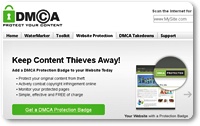
- Go to DMCA Badge Page
- On The Right Side In Register your Protection Badge Section Fill Your Details and Click On Submit Button.
- After registration go to your Inbox and get password and other login details.
- After Log In Go to This Page and Choose Badge Style According To Your Blog.
- Go to Blogger Dashboard -> Layout -> Add a Gadget -> Add A HTML/Javascript Widget
- Paste The Code In HTML/Javascript Widget and Save It
- Go to WordPress Dashboard -> Appearance -> Widgets -> Choose Text Widget
- Now Paste The Code In Text Widget and Save
|
|
|
|
Subscribe via Email
|
How to Protect Your Blog With DMCA Protected Badges.
Read Also: How To Report To Google, If Someone Is Copying Your Content