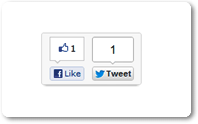
How to Add Like & Tweet Box On Every Single Post On Blogger Homepage
- Go to Blogger Dashboard > Template > Edit HTML > Proceed
- Take Backup Of Your Template Before Make Any Changes
- Now Click Expand Widget Templates and Press Ctrl + F and Search For ]]></b:skin> Code and Paste The Below Code Right Above It.
- Now Search For <div class=’post-header’> and Paste The Below Code Right Below It
- Save Your Template, Its Done. Visit Your Blog
.post-homepage-share{box-shadow: 0 5px 5px -5px #999;-webkit-box-shadow: 0 5px 5px -5px #999;-moz-box-shadow: 0 5px 5px -5px #999;-moz-border-radius:3px;-webkit-border-radius:3px;border-radius:3px;float:right;width:130px;height:65px;background: #f9f9f9;border:1px solid #ddd;margin:5px 0 0 10px;padding:5px 10px 2px 0}
<b:if cond=’data:blog.pageType != "item"’><div class=’post-homepage-share’><span style=’float:right’><a class=’twitter-share-button’ data-count=’vertical’ expr:data-text=’data:post.title’ expr:data-url=’data:post.url’ href=’http://twitter.com/share’/></span><span style=’float:right;padding-right:5px’><div class=’fb-like’ data-font=’verdana’ data-layout=’box_count’ data-send=’false’ data-show-faces=’false’ expr:href=’data:post.url’/></span></div></b:if>
|
Did you Like this article?
|
Get FREE Updates
Get All Leaks, Rumours, Offers and News straight into your inbox. |
|
|
Tweet |
Today, this easy tutorial will guide you “How to Add Facebook Like and Twitter Tweet Buttons Box On Every Single Post On Blogger Blog Homepage?”. I am sure your readers will like these buttons on your blog. Because social networking is the most powerful way for increase traffic to your blog.
Facebook Like, Twitter Tweet and Google +1 are the three main online systems for spreading your post all over the world, more likes and tweets you have more post is shared and you will get more views. Make your blog more attractive by adding these buttons with the help of simple CSS code.Note – If you think that the box is getting too much up or too much low you can change the margin value in the above code in blue color.Need any help? Ask via comments. Happy Blogging 🙂