Smartphones Display
Smartphones Connectivity
Don’t Play Games
Stop Vibrations
Switch To Standby
Don’t Use Animations
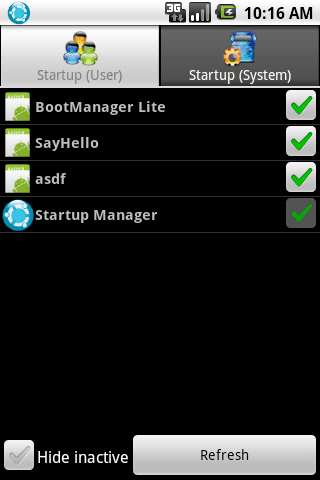
Use A Startup Manager To Disable Unwanted Applications
|
|
Share this Postgrrrr grrrrSettings –> Display–> Animation–> Select No Animations. Maximum people are using Smartphones today.A smartphone is a mobile phone built on a mobile computing platform, with more advanced computing ability and connectivity than a feature phone. There are multiple applications and other software functions that run in the background, some app and functions forgot by the users which remains unnoticed till their smartphone’s battery dry up.
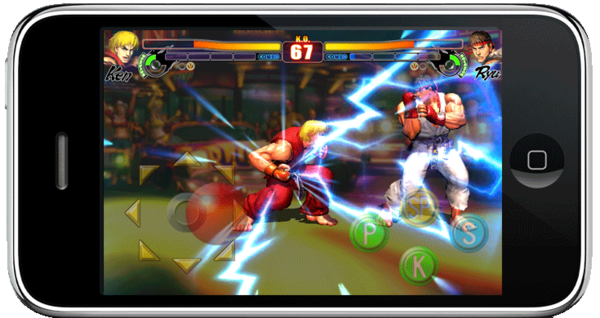
Being online and some modern applications do eat up battery time.This tutorial will guide you about “Top Power Saving Tips For Smartphones”.There are few applications available also in the app stores to help extend a Smartphone’s life.Connectivity is also matter for your Smartphone’s battery life.If your handset has Bluetooth turned on without any need than please turned off, because you’re actually wasting power.Some Smartphone have a time-out feature for Bluetooth, which turns this feature off when it’s not in use. If not, you can make sure to do it manually.Constantly searching and connecting to wireless networks needs power. As with 3G, if you are not actually using Wi-FI to browse the web or access email, turn it off in the phone’s settings. This is important tip for game lovers.Games require a lot of battery power and the phone has a high workload when you are having fun. If you want the battery to last all day, then don’t play games on your Smartphone for long time. First of all, I want to say that I don’t like (Vibration) on my Smartphone.It is useful to have a phone vibrate when you receive a call or a text message, but remember that any extra task will use additional battery power. If you are in office or home and your phone on silent mode then you can use vibration. But when travelling then ignore vibrate feature for saving the battery power.
This is very cool function in Smartphone ever.About 30 seconds to a minute after you have used your phone, it will automatically turn off the screen and go into power-saving standby mode. If you manually press the button to enter standby immediately, you will save some battery power.
By default, your smart phone may come with some animations. Running animations consumes resources and power. Hence, it is a good idea to disable animations. You can disable animations by going to There are several startup applications on the android market. You can use one such free or paid startup manager to remove unwanted applications from getting started up automatically. This will definitely make your smart phone much faster and snappy to use.