How To Add Meta Tags To Blogger Blog Posts Automatically
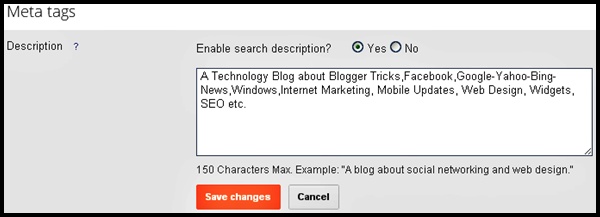
- Go To Blogger Settings > Search Preferences > Meta Tags
- Enable Search Engine Description “Yes” and Add Some Meta Tags That Are Suitable For Your Blog.
- Now Go To A “New Post” and You Will Be See The Search Description Options In The Right Hand Side Under The Post Settings Tab.
- Now, Save Your Template & Its Done
- You Are Able To Use This Wonderful Tool Now, Even If You Are Using Custom Template For Your Blogger Blog.
<b:include data=’blog’ name=’all-head-content’/>
Note* –</head>search engine optimization