Subscribe To Our Regular Email Updates
Here Are Two Demos Of A Blogger User Finding A Relevant Affiliate Ad:
How To Use Google Affiliate Ads For Blogger
Need Any Help?
- Write a new post on your Blogger blog
- If your blog matches available ad categories, the ‘Advertise Products’ gadget will appear in the Post Settings panel
- Select an affiliate ad from the ‘Advertise Products’ gadget
- Publish your post and its done
- Sign up For AdSense Account First
- Once approved for AdSense, write a new post on your Blogger blog
- If your blog matches available ad categories, the ‘Advertise Products’ gadget will appear in the Post Settings panel
- Select an affiliate ad from the ‘Advertise Products’ gadget
- Publish your post and its done
|
Ads |
|
|
Subscribe via Email
|
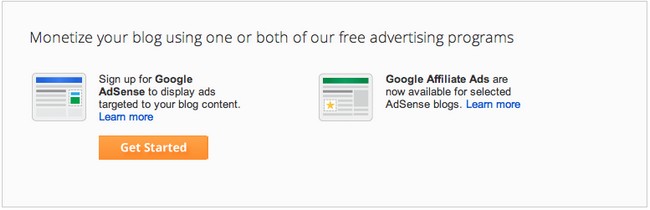
NOTE :-“Google Affiliate Ads For Blogger – Get Started Guide”Google Affiliate Ads for Blogger is easy to use, and is a great solution for those users interested in choosing the products and brands they want to promote in their blog posts.
If You Have An AdSense Account:If You Don’t Have An AdSense Account:I hope this tutorial is helpful to every blogger user “Google Affiliate Ads For Blogger – Get Started”. If you have any questions or would like to add details of your own tips, please feel free to leave your comments below. I will update your tips in this article. Take care & enjoy 🙂