
Today,I want to share to share my experience with you about “Techinline: Remote Desktop Assistance Software“.Remote Desktop Software are the tools which helps you connect with any other computer system in some quick & easy steps. You can get various tools available on internet via Google search with keyword “Remote Desktop Software”.
These remote PC access software tools are really wonderful in many ways including sharing your computer with your family / friends / clients, remote file transfer, doing presentations and meeting remotely anywhere anytime through your PC.You have no need to use your phone or Email id. This can be more useful when you hire a dedicated team for your project in any other country. You can easily track your resource work through an easy step-up with remote assistance software like Techinline remote assistance.
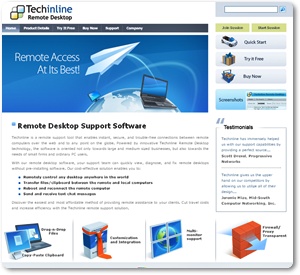
Features Of Techinline: Remote Desktop Assistance Software: –
- 2-Way Desktop Sharing
- Customization and Integration
- Remote Reboot and Reconnect
- Browser based solutions
- Easiest Connection Process
- Reporting Tool
- Multi-Monitor Support
- Firewall/Proxy Transparency
- Auto Scroll and Auto Scale
- File and Clipboard Transfer
- Instant Messaging Chat
- Windows 7 Compatibility
|
|
Note : You will find a confirmation link in your inbox or junk folderIf You Enjoyed This Post Please Take 5 Seconds To Share It.